
✦ Built for small-business owners — not AI experts
Get useful work done with AI.
Quick Know picks the right task, guides you through it, writes the instruction for ChatGPT, Claude, Gemini or Copilot — and keeps the result so next week starts from your work.
✓ 16 complete workflows free — no card needed
Your plan · Get paid faster
Finance · 10 min · ✓ FreeStart →
Finance · 10 min · 🔒 Plus
You are helping me chase an unpaid
invoice politely but effectively…
- Customer: [name] · Amount: [amount]
Write three emails I can use…
“Sent stage-one reminder — invoice 1042, £850”
Try it — right here, before signing up
What do you need help with today?
Chase unpaid invoices
✓ Free⏱ about 10 minYou'll finish with three polite, ready-to-send reminder emails — gentle, firmer, final — in your own tone of voice.
You are helping me chase an unpaid invoice politely but effectively… Write three emails I can use as a sequence…
This workflow is completely free.
Try the full Quick Know process — the guidance, the ready-to-use AI instruction and your saved result — with no card and no time limit.
Start free →How it works
One simple loop, every week
Quick Know runs the loop; the AI tool you already use does the thinking. Your work builds up instead of scrolling away.
CHOOSE
Say what you need
Pick a business goal — Quick Know recommends the right task.
Get paid fasterMore enquiriesDO
Follow the workflow
Guided steps and a ready-made instruction for your AI tool.
Write three chaser emails for invoice [number]…
ChatGPTClaudeGeminiKEEP
Save the result
The useful part stays with the task — not lost in a chat.
✓ Saved — “Sent reminder, invoice 1042, £850”
CONTINUE
Know what's next
Come back and pick up exactly where the work left off.
Next: Explain my numbers →
The question everyone asks
“Can't I just use ChatGPT?”
You can — and you should. Your AI gives you the intelligence. Quick Know gives you the process.
MONDAY, WITH A BLANK CHAT
Message ChatGPT…
“What should I ask? Is this prompt any good? It doesn't know my business… what do I check before this goes to a customer? And where's the version I used last month?”
MONDAY, WITH QUICK KNOW
- Your business context — saved once, used everywhere
- The right task — for what you're trying to achieve
- Guided steps — before and after the AI
- A strong instruction — ready to paste
- What to check — before it reaches a customer
- A kept result and a next action — the work builds up
- Quick Know works with ChatGPT, Claude, Gemini and Copilot — free versions are fine.
Genuine screens — the live product today
And here's the real thing
Not an illustration. These are actual screens from the live Quick Know application.
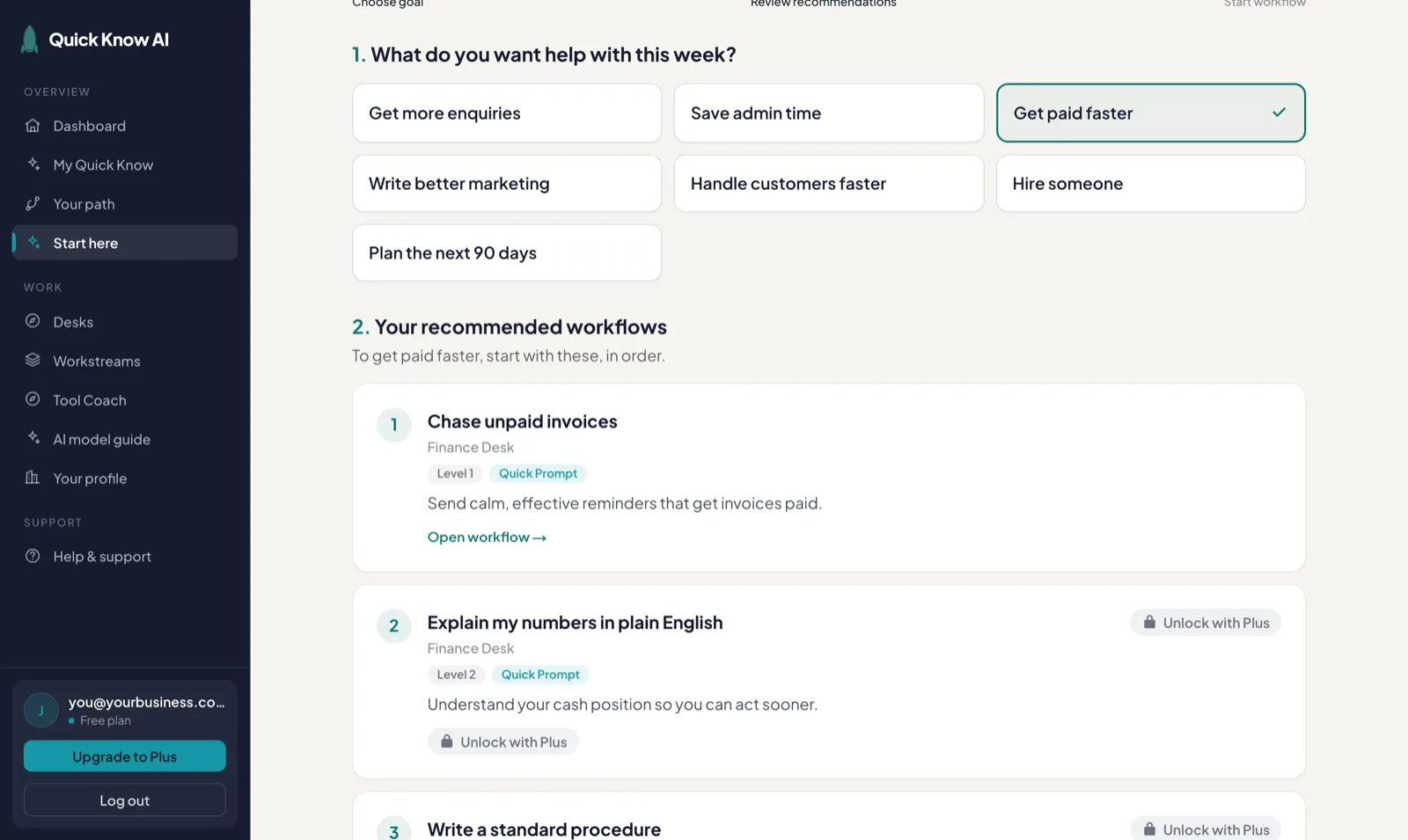
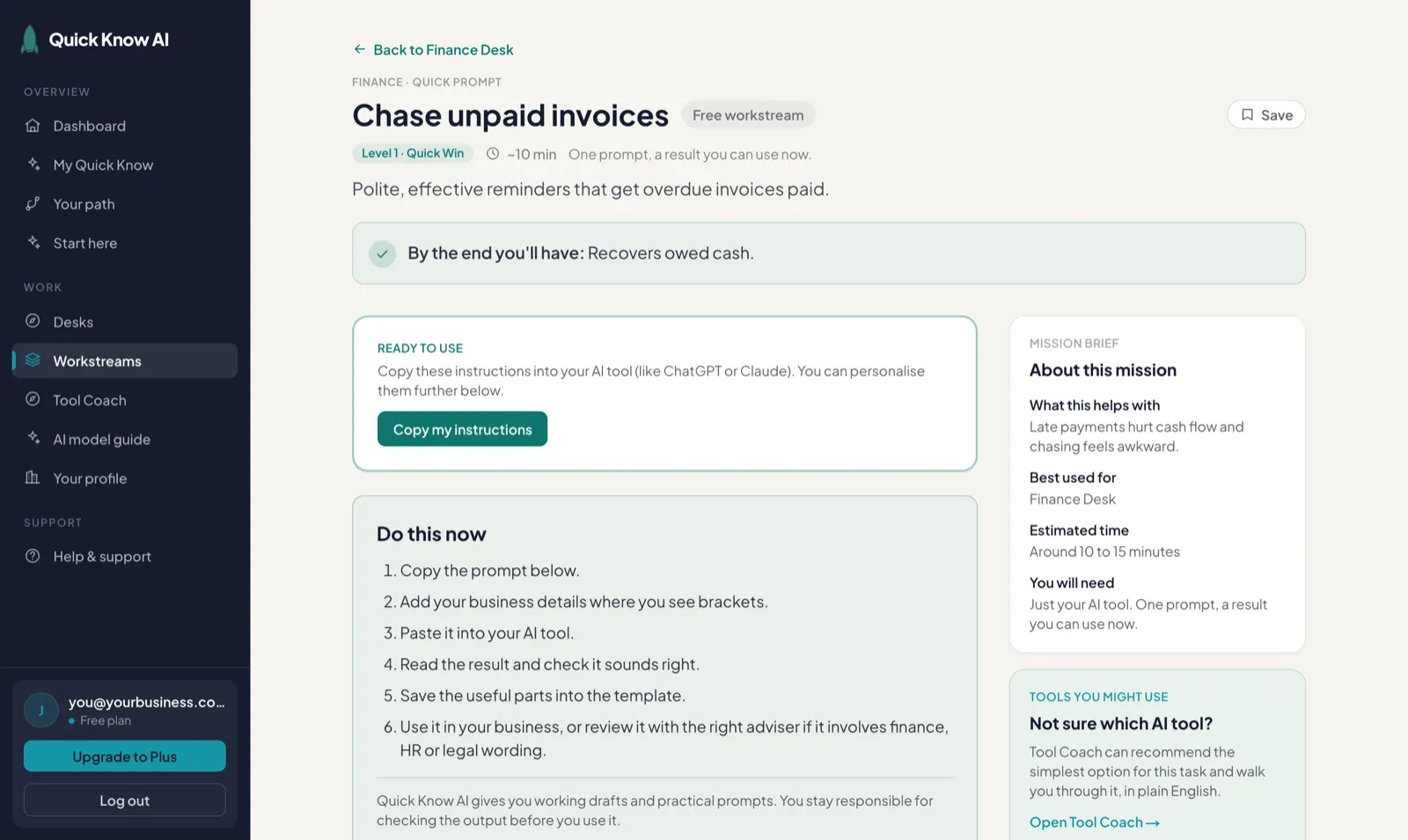
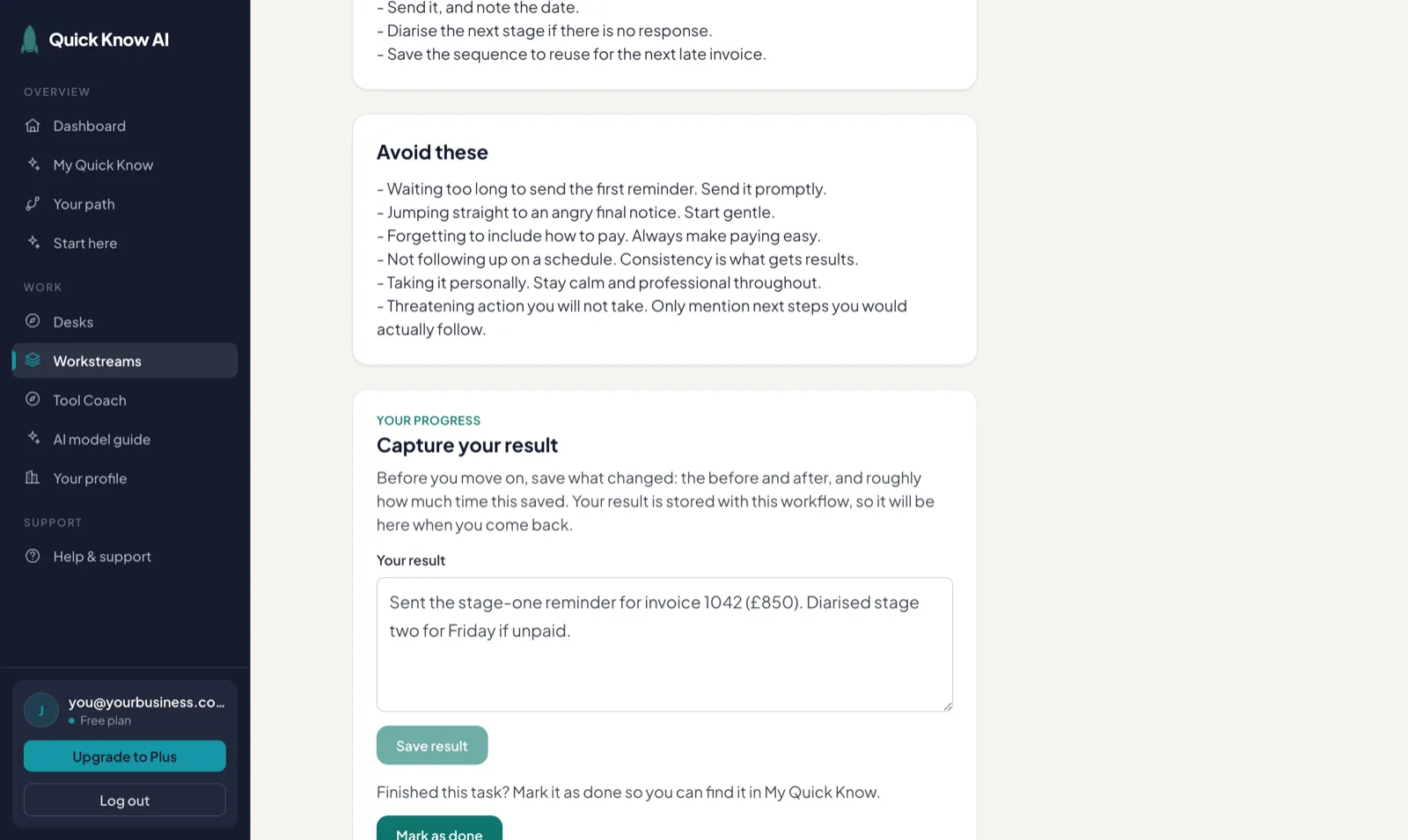
One place for the whole business
AI help across every part of your business
From winning customers and getting paid to hiring people and keeping operations moving.
8 desks · 500 guided workflows
Sales
Win work and move opportunities forward.
Write your cold outreach✓ Free · ~10 minALSO · Follow up a prospect · Proposals & quotes
Marketing
Plan campaigns and show up consistently.
A month of social posts✓ Free · ~10 minALSO · Set your brand voice · Ask for a review
Finance
Get paid and stay on top of the numbers.
Chase an unpaid invoice✓ Free · ~10 minALSO · Explain my numbers · Categorise expenses
Operations
Turn recurring work into clear systems.
Turn meeting notes into actions✓ Free · ~10 minALSO · Write a procedure · Compare suppliers
Customer Service
e.g. Draft replies to common questions
Leadership
e.g. Your monthly focus briefing
People
e.g. Write a clear role description
Everyday Life
e.g. Explain a confusing letter
Pricing
Start free. One plan when you want more.
Free
£0
- 16 complete workflows — real tasks, start to finish
- Your business details woven into every instruction
- Guided goals, steps and checks
- Saved results you can come back to
- No card needed
Quick Know Plus
£5.99 / month
- Structured help across the whole business, every week
- Every workflow open — the full plan for every goal
- Deeper systems: credit control, quarterly planning, hiring end-to-end
- All 500 workflows across all eight desks
- New workflows included as they're released
- Cancel any time
Or £49/year · save £22.88/year
The honest maths: one chased invoice or one afternoon of admin saved covers the month. If it doesn't, cancel — Free stays free. Plus is live now and billed securely via Stripe. Full details on the pricing page.
Questions, answered plainly